To combine shipping on eBay, you either send the buyer one combined invoice before they pay, merge their orders into one label with Combine orders per buyer in Seller Hub, or ship everything in one box and refund the extra shipping after they pay. eBay lets you combine purchases from the same buyer, and you can send an invoice for up to 30 days after a listing ends. Which method fits depends on one thing: has the buyer already paid?
This guide covers all three methods with the exact eBay menu names (checked against eBay's own help pages in November 2026), the shipping discount rules that do the math for you, and the case most guides skip: dropshipping, where two items from one buyer often ship from two different suppliers and can't go in one box.
What is combined shipping on eBay?
Combined shipping on eBay is a discount on shipping when one buyer purchases two or more items from the same seller, because you pack them together and pay for one label instead of several. eBay calls the settings behind it "shipping discounts", and you control them from your Shipping Preferences page.
Combined shipping is optional. eBay doesn't force you to offer it, and the seller decides whether to combine eligible items and whether to discount them. Buyers ask for it anyway, especially in collectibles, cards, and clothing, where people buy several cheap items in one session.
Some items can't be combined at all. Per eBay's help page, these are not eligible:
- PSA Vault items
- Local pickup listings
- Most Authenticity Guarantee items (multiple quantities of the same sneakers or streetwear item are the exception)
- Items bought with Best Offer
- eBay International Shipping items in certain categories
3 ways to combine shipping on eBay
Here is the short version before the steps.
| Method | When to use it | Buyer paid? | Steps |
|---|---|---|---|
| Combined invoice | Buyer asks for a total before checkout, or uses Request combined shipping | No | Seller Hub > Orders, tick the orders, Send invoice, set the new shipping charge |
| Combine orders per buyer (one label) | Buyer checked out each item separately and you ship from one location | Either | Orders > "Buyer has X orders to ship" tag, select all, Shipping > Get Label, Combine orders per buyer |
| Ship together + partial refund | Buyer paid full shipping on each item and you pack them in one box | Yes | Ship in one box, add the tracking number to each order, refund the extra shipping |
| Ship separately (dropshipping) | Items come from different suppliers or warehouses | Yes | Place each supplier order, add each order's own tracking number, no combined discount |
The fourth row is not an eBay feature. It is what happens when combining is physically impossible, and it gets its own section below.
Method 1: Send a combined invoice before the buyer pays
A combined invoice is the cleanest method because the buyer pays the right amount once and you never touch refunds. eBay lets you send one from Seller Hub or My eBay as long as the buyer hasn't paid and the listing ended less than 30 days ago.
First, allow invoice requests. On your Shipping Preferences page:
- Select Edit next to "Allow invoice requests".
- Set "Requests allowed" to Yes.
- Choose the time period during which you're willing to combine payment.
- Select Save.
Then, when a buyer selects Request combined shipping in their cart (or messages you asking for a total):
- Go to Orders in Seller Hub.
- Check the boxes for that buyer's orders and select Send invoice.
- Uncheck any item you don't want on the invoice.
- Enter the combined shipping charge.
- Add a message if you want, then select Preview invoice before sending or send it straight away.
The buyer's cart updates with the new shipping cost and they check out once. One limit to know: buyers can't request combined shipping from the cart if the items are already discounted, already have free shipping, or require immediate payment.
Method 2: Combine orders into one label with Seller Hub
If the buyer already checked out each item separately, eBay groups them for you at the label step. In Seller Hub, open Orders. When one buyer has more than one order waiting, eBay shows a "Buyer has X orders to ship" tag.
- Select the "Buyer has X orders to ship" tag.
- Select the orders to include, or check Select all.
- Select Shipping, then Get Label.
- On the bulk label page, select Combine orders per buyer.
- Update the package weight and dimensions for the combined box, then buy the label.
eBay labels upload tracking to the eBay order automatically. If you buy your own label outside eBay, use Shipping > Add tracking instead of Get Label, and add the same number to every order in the box.
For a whole day of orders at once, set the status filter to Awaiting shipment, sort by buyer, select all, and pick Get shipping label then Combine orders per buyer. eBay batches cap at 200 orders.
Not sure what the combined box will cost? Weigh it and run it through the eBay shipping calculator before you decide how much shipping to refund or invoice.
Method 3: Ship together and partially refund after payment
When the buyer already paid full shipping on every item, you can still combine. eBay's own answer for paid orders is a partial refund from Orders in Seller Hub or My eBay.
- Pack all the items in one box and weigh it.
- Buy one label (Method 2 does this in one step) or buy it on the first order and add that tracking number to the other orders with Add tracking.
- Work out the difference: shipping the buyer paid minus what the combined label cost you.
- Send a partial refund for that difference from the order.
- Message the buyer so the refund doesn't look like an error.
Only reuse one tracking number across orders when the items really are in that one box. That rule matters a lot more once you dropship, which is the next part.
How do you combine shipping when you dropship on eBay?
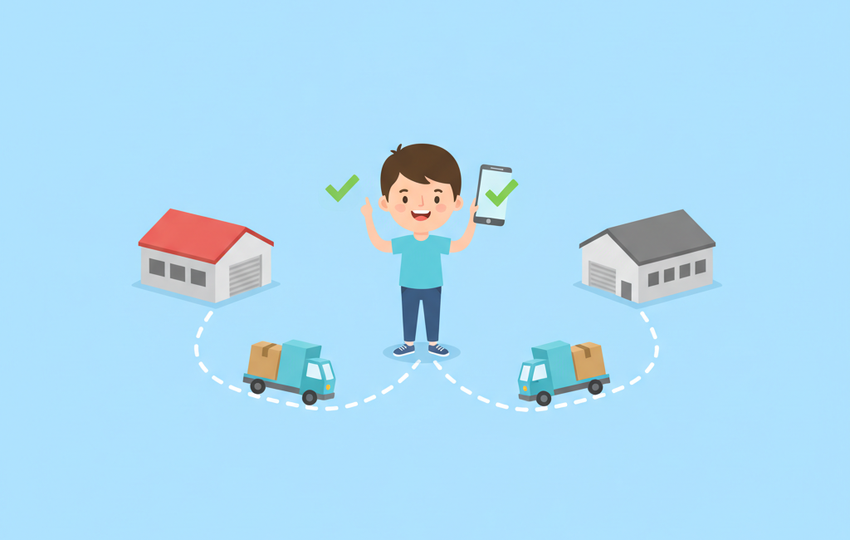
You usually can't. When a dropshipper's buyer orders two items and each comes from a different supplier or a different warehouse, there is no single box to combine, so each order ships on its own with its own tracking number. Everything in the three methods above assumes you hold the stock.
That changes four things.
Don't promise a combined discount you can't deliver
A combined shipping rule on a dropship listing costs you money on every multi-item sale. Each supplier still charges you full shipping per order, so a "subtract $2 per additional item" rule comes straight out of your margin.
Watch the promotional shipping rule in particular. eBay applies it to every listing with a combined shipping discount, and it overrides your flat and calculated rules. One "free shipping over $50" promotional rule set for your own stock will also discount dropship listings that use a combined shipping rule.
The safer setup: keep dropship listings on a shipping policy with no combined shipping rule, and only attach rules to items you ship yourself.
Keep a separate tracking number on each order
Each supplier order gets its own tracking number, and each one goes on its own eBay order. Never paste supplier A's tracking number on the order supplier B is shipping. That number will show delivered while the second item is still in transit, and the buyer can open an item not received case against a package that eBay's system says arrived.
If both items come from the same supplier store, some suppliers ship them together when you buy them in one checkout. Then one tracking number covers both, and adding it to both eBay orders is correct.
Watch your handling time and late shipments
Split orders double your chances of a late shipment. eBay's seller performance standards count a tracked shipment as late when the delivery scan comes after the latest estimated delivery date and there was no carrier scan within your handling time. Top Rated sellers need tracking "uploaded within handling time and validated by carrier" on at least 95% of transactions, and no more than 5 late shipments (or 3% of transactions).
So the slower supplier sets the pace. If one item ships in two days and the other in five, the five-day order is the one that can get flagged. Our eBay late shipment rate guide covers handling time settings for dropshippers in more detail.
Tell the buyer before they ask
A buyer who sees two packages, two tracking numbers, and two delivery dates will message you. Send one short note when you place the orders: the items ship from different warehouses, here are both tracking numbers, here are the expected dates. It heads off "where is my other item" messages and keeps the first package's delivery from being read as the whole order. Our eBay customer service templates have ready messages you can adapt.
This is also why eBay's dropshipping rules matter here. eBay's dropshipping policy allows dropshipping only when you source from a wholesale supplier that ships directly to the buyer, and you stay responsible for delivery. Buying the item from another retail marketplace and having it shipped to your buyer is not allowed. Split packages are fine under that policy. A missing tracking number on one of them is your problem, not the supplier's.
How to handle split dropship orders safely
The hard part of a split order is bookkeeping: two supplier checkouts, two addresses typed by hand, two tracking numbers to add back to eBay. SuperDS Orders Sync handles the first half. The SuperDS Chrome extension copies each new eBay order into your dashboard with the buyer name, shipping address, item, and supplier on one row, so two orders from the same buyer going to two suppliers sit side by side. Click Copy order and the supplier page opens with the buyer's shipping details ready to paste.
What SuperDS doesn't do: it doesn't place the supplier order for you, and it doesn't upload tracking. You confirm each supplier checkout yourself and add each tracking number to its eBay order in Seller Hub. For most sellers that manual check is worth it, because a wrong address or a tracking number on the wrong order costs more than the minute it takes. Orders management is part of every SuperDS plan, starting at $29.99 a month on Basic.
How to discount shipping on eBay
eBay discounts shipping through rules you set once on the Shipping Preferences page, then attach to listings. There are three rule types:
- Flat shipping rule: adds or subtracts a fixed amount for each additional item. Select Edit next to "Combined shipping rule".
- Calculated shipping rule: combines item weights into one package, optionally subtracting an amount. Select Edit next to "Calculated shipping rule". It only works on listings with calculated shipping.
- Promotional shipping rule: discounts based on conditions, like a maximum shipping cost for multiple items or free shipping above a spend. Select Edit next to "Promotional shipping rule". It overrides flat and calculated rules.
To apply a rule to many listings at once, open Business policies, pick the shipping policy, choose the rule under Combined shipping rule, and save. Every listing on that policy picks it up. For one listing, select Revise and set the rule under Shipping.
Is combined shipping cheaper?
Yes, for the buyer and usually for you. One box with one label costs less than two labels, and USPS prices by weight and zone, so a second light item often adds little. The exception is dropshipping, where each supplier charges you per order no matter what the buyer bought together. There, combined shipping only saves the buyer money, and you pay for it.
How do you not offer combined shipping on eBay?
To stop offering combined shipping on eBay, leave combined shipping rules off your listings and set "Allow invoice requests" to No in Shipping Preferences. eBay's help page also notes buyers can't request combined shipping from the cart on items that already have free shipping or a discount. A buyer can still message you, and the seller decides whether to combine, so you can politely decline when items ship separately.
Combined shipping checklist
- Decide which listings get a combined shipping rule: items you ship yourself, not dropship listings.
- Turn on "Allow invoice requests" only if you'll answer invoice requests within your handling time.
- Unpaid multi-item buyer: send a combined invoice from Seller Hub > Orders.
- Paid separately, one location: Combine orders per buyer on the label page.
- Paid full shipping, already shipped together: partial refund for the difference.
- Dropship split order: one supplier order per item, its own tracking number on its own eBay order, a short note to the buyer.
- Price the combined box with the shipping calculator before you invoice or refund.
- Set handling time to the slowest supplier, not the fastest.