
eBay vacation mode, officially called Time Away, lets you pause sales or extend handling time while you are unavailable. Allow item sales keeps your listings live for up to 15 days with later delivery dates; Pause item sales hides your fixed-price listings for up to 30 days. Time Away starts at 12:01 AM on your start date and ends at 11:59 PM on your end date.
Used correctly, Time Away protects your seller metrics while you travel. Used wrong, or not at all, a week offline can produce late shipments, cancelled orders, and negative feedback that takes months to recover from. Here is exactly how the feature works in 2026, what it does and does not protect, and what high-volume sellers do instead of switching it on.
What Is eBay Time Away?
Time Away replaced the old "vacation settings" that lived in eBay Store subscriptions. The modern version is available to every seller, Store or not, and offers two modes:
| Mode | What Happens | Best For |
|---|---|---|
| Pause item sales | Fixed-price listings are hidden from search, up to 30 days | Trips longer than a week, no coverage |
| Allow item sales | Buyers can purchase, delivery dates move out by your time away, up to 15 days | Short trips, reliable but slower fulfillment |
Auctions are the exception: running auctions continue and must be honored, so end them before your time away starts.
You will find the setting in Seller Hub under Selling tools, or in Account settings under Time Away. eBay applies it at the start date and reverts everything when the end date passes. You do not need to edit a single listing.
Pause Sales or Extend Handling Time?
The decision comes down to one question: can orders placed while you are gone be fulfilled on time?
Choose pause sales when nobody can ship while you are away and the trip exceeds a few days. Hidden listings mean zero revenue, but also zero risk of defects. Momentum on your listings (watchers, sales velocity, search ranking) takes a hit that usually recovers within one to two weeks of returning.
Choose extended handling when you can still ship, just slower, or your trip is short. Buyers see the longer delivery estimate before purchasing, so expectations are set honestly. Conversion drops somewhat because slower delivery ranks and converts worse, but your listings keep their history and momentum.
The worst option is doing nothing and hoping. eBay measures your handling time against carrier scans, and every order that ships late while you are at the beach becomes a mark against your late shipment rate and, eventually, your seller level.
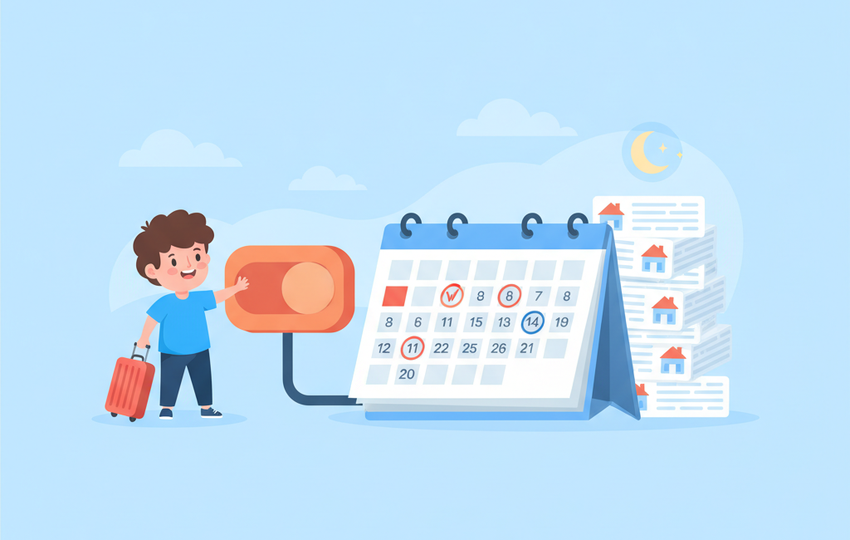
What Time Away Does Not Protect
This is where sellers get burned. Time Away is not a force field:
Existing orders still have deadlines. Anything sold before your start date must ship within its original handling time. Time Away only affects future purchases.
Messages keep their clock. Buyers still expect responses, and cases still escalate on schedule. eBay's automated responses do not pause Money Back Guarantee timelines. An INR case that escalates unanswered while you are offline becomes a defect. Set up an auto-reply, and if you have open item not received cases, resolve them before leaving.
Returns keep moving. Return requests have response deadlines that do not care about your vacation settings.
Auctions run to completion. End them first or fulfill them on time.
Plan for the tail, not just the trip: orders placed the day before Time Away starts still need shipping, and cases opened during the trip need answers the day you return.
How to Put eBay on Vacation Mode, Step by Step
To put eBay on vacation mode, open Time Away in Seller Hub, choose Allow item sales or Pause item sales, set your dates, turn on the auto-reply, and apply. The whole setup takes about two minutes.
Before you start, clear the deck: ship every open order and upload tracking, end running auctions, answer open cases and returns, and withdraw pending offers a week before you leave, because accepted offers do not inherit the longer handling time.
- Go to Seller Hub, open Selling tools, and select Time Away (or Account settings, then Time Away).
- Select Schedule time away.
- Choose Allow item sales (listings stay live, delivery dates move out, up to 15 days) or Pause item sales (fixed-price listings hidden, up to 30 days).
- Enter your start date and end date. Set the end date one day after you get home, so you have a buffer before new orders land.
- Turn on the automatic reply so buyers who message you see your return date.
- Select Apply and check the banner shows your dates.
Coming back: everything reverts automatically at your end date. Answer messages the same day and ship your first returning orders fast; momentum recovery is mostly about the first few days back.
Can you temporarily take down an eBay listing?
Yes. Pause item sales in Time Away hides every fixed-price listing at once for up to 30 days and keeps its history. For a single listing, end it and relist it later with Sell similar, or set its quantity to 0 if you have the out-of-stock option turned on, which keeps the listing and its sales history alive.
Why is my eBay Time Away not working?
Time Away usually looks broken for one of four reasons: the start date has not arrived yet, the listing is an auction (auctions always run to the end), the order was placed before Time Away began, or a buyer accepted an offer that was sent before you scheduled it. Check the banner in Seller Hub to confirm your dates are active.
The Dropshipper's Alternative: Do Not Go Offline
Here is the uncomfortable math for anyone selling at volume: a 10-day pause on a store doing $200 a day costs $2,000 in revenue, and the ranking recovery costs more after. High-volume sellers rarely use pause mode. Instead they make the store run without them:
Orders are ready to place in minutes. With a supplier-based model, orders sync pulls every new eBay order into one dashboard with the buyer details ready to copy, so placing the supplier order takes minutes from a laptop anywhere.
Prices and stock stay accurate. The riskiest vacation event is a supplier stockout you did not see. A price and stock monitor checks your suppliers and flags price and stock changes so you can reprice or end listings before a buyer orders a ghost product. Out-of-stock cancellations are exactly the defect type that piles up unattended; our guide on avoiding price and stock mismatches shows how sellers automate this completely.
Messages need a human. Twenty minutes a day from a phone covers buyer questions, and eBay's app handles that from anywhere. Some sellers hand message duty to a VA with saved reply templates.
With fulfillment and monitoring automated, Time Away becomes a tool for true emergencies rather than every trip. That is the practical difference between owning a store and being owned by one.

Common Time Away Questions From Sellers
Does vacation mode hurt my ranking? Pausing sales removes sales velocity, which Best Match notices. Expect one to two weeks of softer placement after longer pauses. Extended handling hurts less but converts worse during the trip. Neither effect is permanent.
Can buyers still message me? Yes. Messages flow normally, and response time expectations continue. Set the out-of-office auto-response inside Time Away settings so buyers know when to expect answers.
Can I use it on a Shopify store too? Shopify has no vacation mode; sellers pause their ad spend and set announcement banners instead. If you cross-list on both platforms, remember to handle each one separately.
Before-You-Leave Checklist
- Ship all open orders, upload all tracking
- End running auctions
- Answer every open message, case, and return
- Turn on Time Away with honest dates
- Enable the auto-response with your return date
- Verify supplier stock monitoring is active if you dropship
- Check the eBay app works on your phone for daily message triage
- On return day: messages first, then new orders, then metrics review
Vacation mode is eBay's honest tool for going offline, and for small stores it is the right one. For stores past a few orders a day, the better answer is a store that does not need you present. SuperDS handles listing, monitoring, and order sync so a trip needs minutes a day, not a pause. Start free and take the trip without the metrics anxiety.