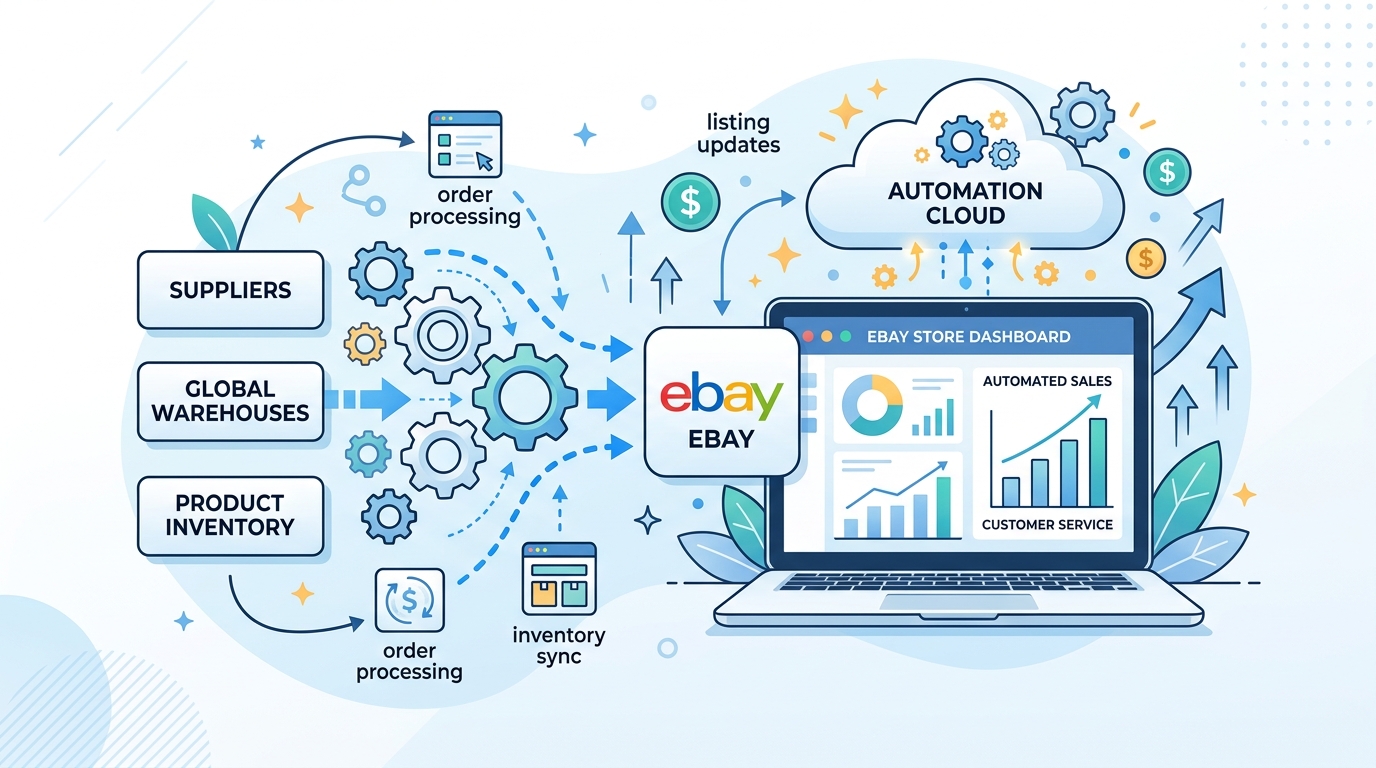
eBay dropshipping automation means using software tools to handle the repetitive, time-consuming tasks of running a dropshipping store: listing products, monitoring prices, updating stock levels, processing orders, and optimizing titles. Instead of doing these tasks manually for hundreds or thousands of listings, automation software handles them continuously in the background. Automation only pays off once the basics work, so check the eBay dropshipping guide first if you are just starting.
This guide covers which tasks to automate, the real risks of doing it wrong, and how to set up a safe automated workflow that scales.
Can You Automate eBay Dropshipping?
Yes. eBay does not prohibit the use of automation tools for listing and order management. Thousands of professional sellers use software to manage their stores. However, there is a critical distinction between safe automation and the kind that gets accounts suspended.
Safe automation uses tools that work within eBay's guidelines: listing products through approved methods, monitoring prices, and syncing orders. Non-API listing tools that work through your browser are particularly safe because they mimic normal seller behavior.
Risky automation includes tools that make excessive API calls, list hundreds of products per hour on new accounts, or use methods that trigger eBay's automated fraud detection. eBay monitors listing velocity, API usage patterns, and account age when evaluating seller activity.
| Automation Type | Risk Level | Why |
|---|---|---|
| Price and stock monitoring | Low | Runs in background, no eBay interaction |
| Non-API listing (browser-based) | Low | Mimics normal seller behavior |
| API-based listing (moderate pace) | Medium | Fine for established accounts, risky for new ones |
| Bulk listing 500+ items on day one | High | Triggers eBay velocity flags on new accounts |
| Auto-purchasing without review | Medium | Risk of buying wrong items or at inflated prices |
Is eBay Dropshipping Automation Safe?
It depends entirely on how you implement it. The sellers who get suspended are usually making one of these mistakes:
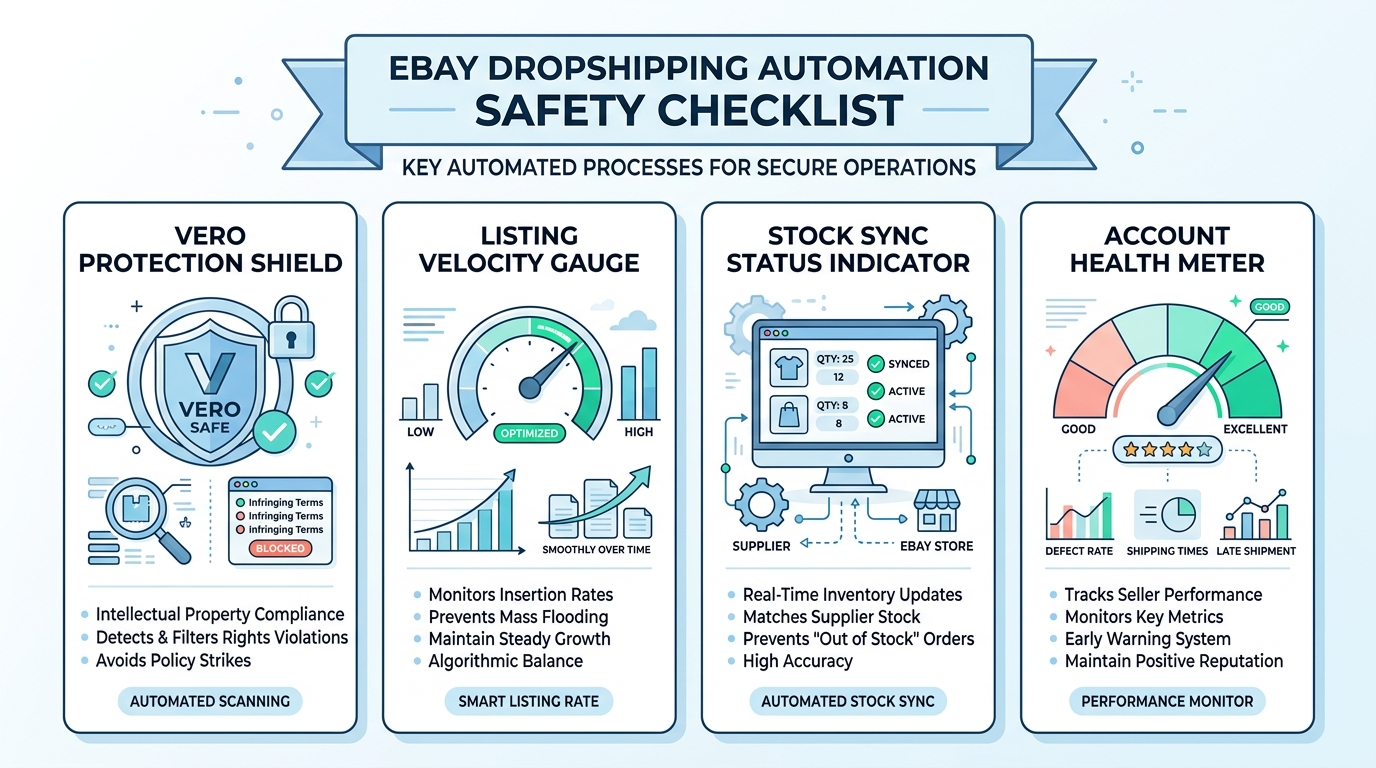
Listing too fast on new accounts. eBay monitors listing velocity. A new account that suddenly lists 500 products in one day raises red flags. Start with 10-20 listings per day and ramp up over weeks. For a deeper look at suspension triggers, read our guide on how to avoid eBay account suspension.
Relying solely on API tools. eBay's API has rate limits, and heavy API usage on newer accounts can trigger reviews. The Non-API Lister avoids this entirely by working through your browser session.
Ignoring sync errors. Automated tools are not perfect. Price sync delays, stock discrepancies, and order processing errors happen. Sellers who set and forget without monitoring their dashboard end up selling out-of-stock items or fulfilling orders at a loss. Read about common sync errors and how to prevent them.
Skipping VeRO checks. Automation makes it easy to list hundreds of products fast. Without VeRO screening, you might bulk-list products from restricted brands and wake up to multiple takedown notices. Always integrate VeRO Protection into your listing workflow. Check our 2026 VeRO brand list before sourcing products.
What Tasks Should You Automate First?
Not every task needs automation on day one. Prioritize based on time savings and risk reduction.
1. Price and Stock Monitoring (Highest Priority)
Supplier prices change constantly. Amazon adjusts prices multiple times per day. Without automated monitoring, you risk fulfilling orders at a loss or selling items that are out of stock at the supplier.
SuperDS's Price and Stock Monitor tracks your supplier prices automatically. When a price changes, your eBay listing updates according to your profit rules. When a product goes out of stock, your listing pauses automatically.
You set your pricing formula once (for example, supplier price x 1.3 + shipping buffer) and the system handles the rest. This single feature prevents most of the losses that kill dropshipping businesses.
2. Product Listing
Listing products manually takes 10-15 minutes per item. At scale, this is the biggest time sink.
With the 1-Click Lister, you browse a supplier page, click one button, and the product gets listed on eBay with optimized details. For volume, the Bulk Lister handles dozens of products in minutes. You can source from Amazon, AliExpress, and 15+ other suppliers.
3. Title Optimization
Your eBay title determines whether buyers find your product. eBay gives you 80 characters, and every word matters for search ranking. Supplier titles are written for Amazon or AliExpress shoppers, not eBay buyers.
The Title Builder generates eBay-optimized titles based on top-performing keywords for your product category. This alone can boost impressions by 20-40%.
4. Order Synchronization
When a customer buys from your store, you need to purchase from the supplier and upload tracking to eBay. Manual processing for 20+ daily orders leads to mistakes: wrong addresses, missed orders, late shipments.
Order Sync connects your eBay sales to supplier purchases. Tracking numbers get pulled and pushed to eBay automatically.
5. VeRO Screening
eBay's VeRO program is the silent killer of dropshipping accounts. List a product from a restricted brand and you could get a takedown or suspension. VeRO Protection checks products against restricted brands before you list them. The VeRO Checker lets you verify any product manually.
How Much Time Does Automation Actually Save?
Here is a realistic comparison for a store with 500 active listings:
| Task | Manual (daily) | Automated (daily) |
|---|---|---|
| Price monitoring | 3-4 hours | 0 minutes |
| Stock checks | 1-2 hours | 0 minutes |
| New listings (10/day) | 2 hours | 15 minutes |
| Order processing | 1-2 hours | 10 minutes |
| Title optimization | 1 hour | 5 minutes |
| Total | 8-11 hours | 30 minutes |
The tasks that consume your time are exactly the ones automation handles best: repetitive, rules-based, and high-volume.
How to Choose the Right Automation Software
Not all dropshipping tools are equal. Here is what separates reliable automation from tools that create more problems than they solve:
Multi-supplier support. If your tool only works with one supplier, you are locked into a single source. Look for platforms that support 15+ suppliers so you can diversify your product catalog and reduce risk. If one supplier raises prices or goes out of stock, you can pivot quickly.
Non-API listing options. This matters more than most sellers realize. API-based tools are convenient, but they leave a clear digital footprint that eBay can track. Browser-based listing tools are safer for newer accounts because they replicate how a human seller lists products. Read our comparison of the best eBay dropshipping software for a detailed breakdown.
Built-in compliance tools. VeRO protection, automated UPC generation, and policy-aware listing templates should come standard. If your tool makes it easy to list restricted products, it is a liability.
Real-time monitoring, not periodic. Some tools check supplier prices every few hours. That is not enough. Amazon can change a price three times before your tool notices. Real-time monitoring is the difference between profit and loss on high-volume items.
Analytics and reporting. You need to see which products perform, which are losing money, and where your margins sit. The Advanced Dashboard gives you revenue, order, and performance data in one place. Our guide on eBay analytics tools covers what metrics matter most.
Setting Up Your Automated Store: Step by Step
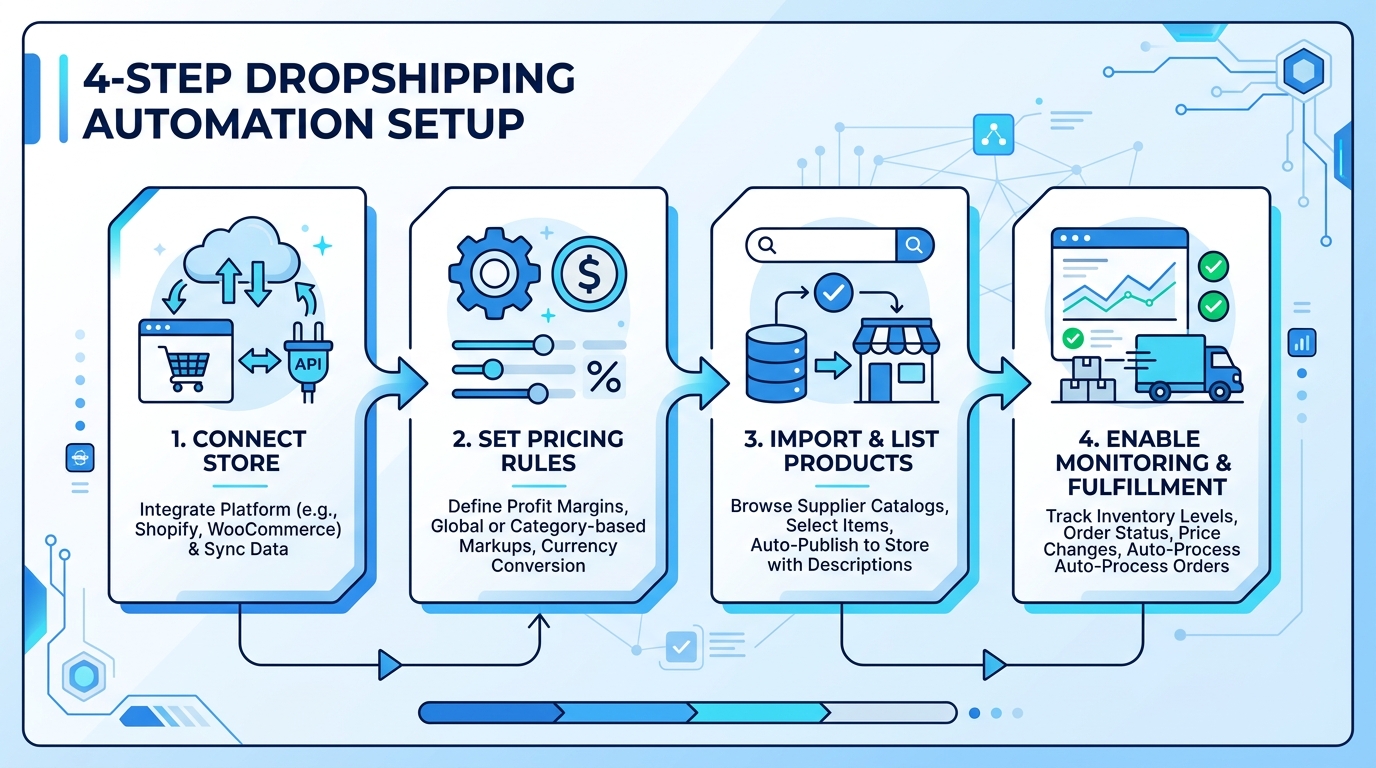
- Connect your eBay store. Link your account to SuperDS. Manage multiple stores from one dashboard if needed.
- Set pricing rules. Define profit margins, shipping cost buffers, and repricing behavior. The system uses these for every listing.
- Source products. Use the Products Finder to discover trending items with real sales data, filtered by category, profit potential, and competition.
- List in bulk. Push products to eBay using the Bulk Lister. The Title Builder optimizes each title automatically.
- Enable monitoring. Turn on price and stock monitoring. Listings update automatically when supplier conditions change.
- Configure order sync. Set up automatic order processing so purchases and tracking updates happen without manual work.
- Review weekly. Check your analytics dashboard for underperforming products, pricing issues, and new opportunities.
Make sure you understand eBay's dropshipping policy before listing your first product. Knowing the rules upfront prevents surprises later.
Common Automation Mistakes to Avoid
- Over-relying on defaults. Customize pricing formulas, shipping templates, and item specifics for your niche. A blanket 30% markup does not work for every product category.
- Set and forget. Check your dashboard weekly. Spot underperformers and pricing issues early. Remove products with consistently thin margins before they become losses.
- Listing too fast. New accounts should start with 10-20 listings/day and ramp up gradually. eBay's algorithm rewards consistent growth, not sudden spikes.
- Skipping title optimization. Supplier titles are not eBay titles. Always run them through the Title Builder. A poorly titled listing with great product data still will not rank.
- Not testing the order flow. Process a few orders manually first to understand the flow before enabling auto-sync.
- Ignoring supplier vetting. Cheap products from unreliable suppliers lead to late shipments and negative feedback. Use our supplier vetting checklist to qualify every source before adding it to your automated workflow.
Automation Setup Checklist
- eBay store connected to automation platform
- Pricing rules configured (margin %, shipping buffer)
- Price and stock monitoring enabled
- VeRO Protection activated
- First batch of 10-20 products listed (not 500)
- Titles optimized through Title Builder
- Order sync configured and tested with 2-3 manual orders
- Analytics dashboard bookmarked for weekly review
- Listing velocity plan set (gradual ramp-up for new accounts)
Ready to automate your store? Start with SuperDS and connect your eBay account in under five minutes.