How the SuperDS Title Builder Works
Type an eBay title, see which buyer searches it matches, add the missing words in one click, and let AI fill all 80 characters. A step-by-step guide.
An eBay title has 80 characters, and a buyer only finds your listing through the words in it. The SuperDS Title Builder shows you the searches buyers type for your product, counts how many of them your title matches, and adds the missing words in one click.
How to build a title
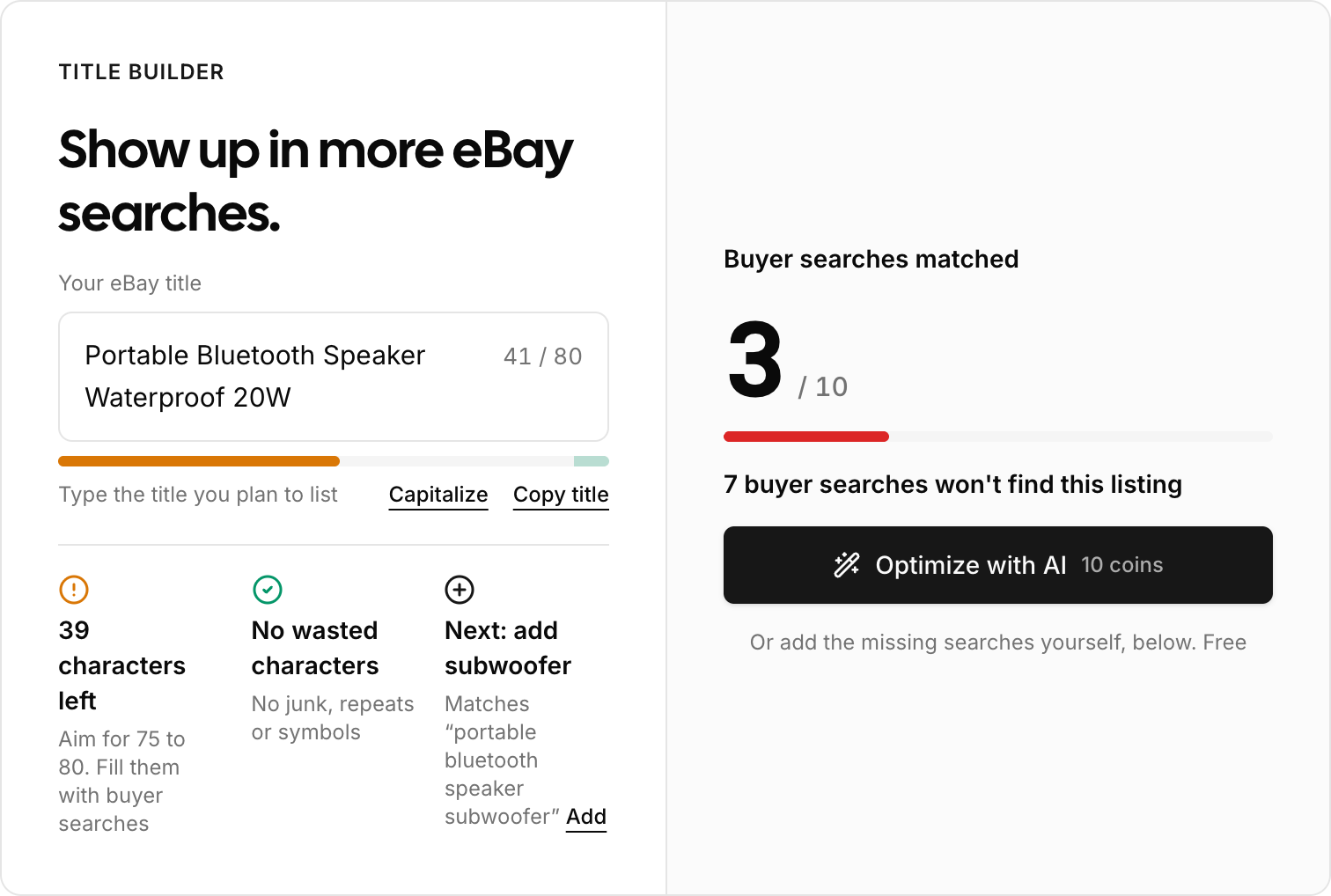
- Type your title. Open Title Builder in your dashboard, under Tools, and type the title you plan to list. Start with what the product is, for example "Portable Bluetooth Speaker Waterproof 20W".
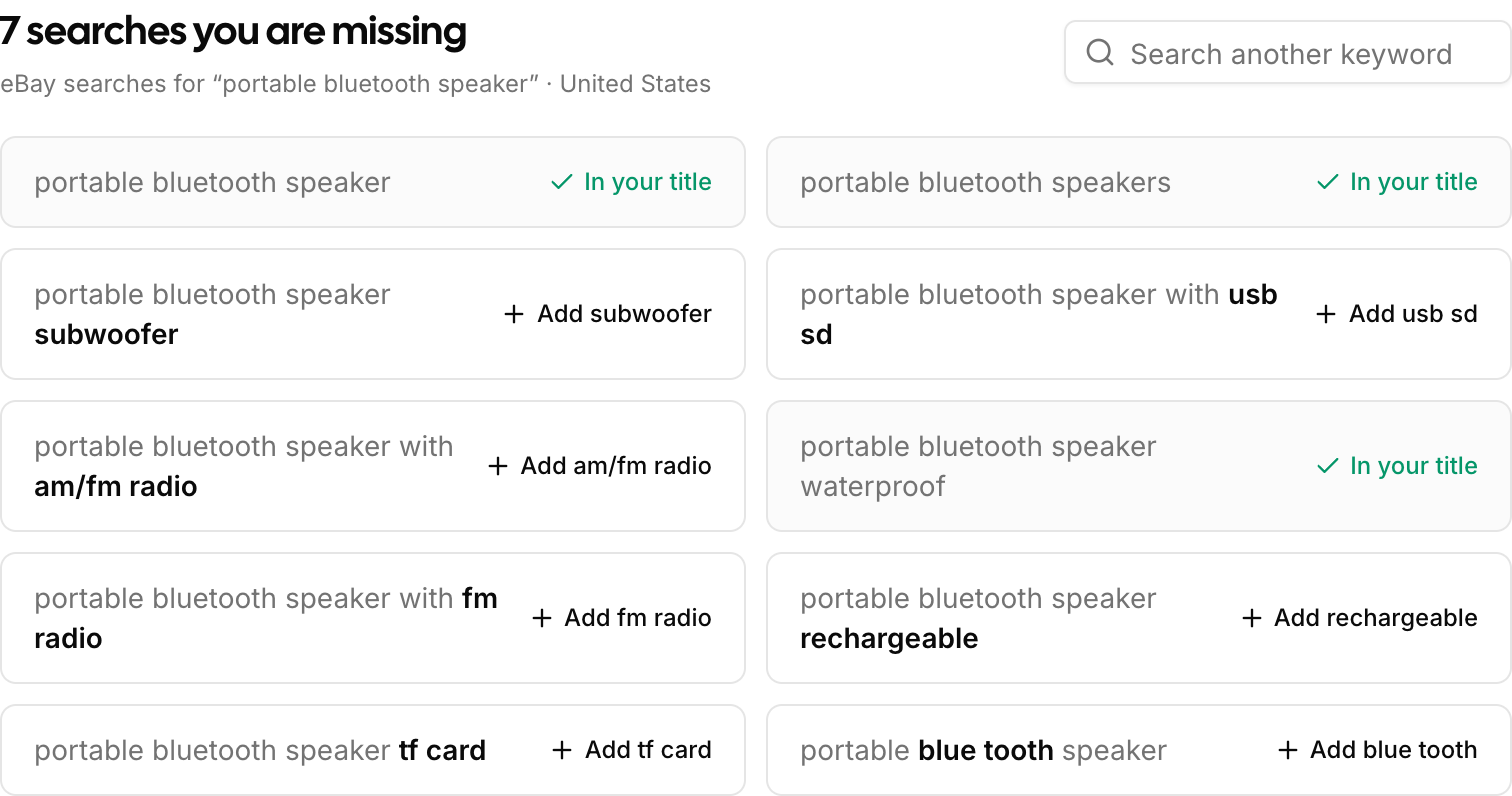
- Let the searches load. You do not search for keywords yourself. SuperDS takes the first words of your title and lists what buyers search for with them under your title. Choose your eBay site in the top right (United States, United Kingdom, Australia, Germany and six more), so the searches come from the market you sell in.
- Read the number. Buyer searches matched is the score. "3 / 10" means three of the ten searches would find your listing and seven would not. A search counts only when every one of its words is in your title. Plurals count, so "speakers" is covered by "speaker".
- Add the searches you are missing. Each missing search shows the words you lack in bold, with an Add button that puts in only those words, in the place the search has them: "large dog bed" turns "Dog Bed" into "Large Dog Bed". The Next tip under your title always points at the next search that still fits.
- Fill 75 to 80 characters. The bar under your title shows how much of the 80 characters you have used. Keep adding searches until you land between 75 and 80.
What the three checks mean
The checks under your title update with every letter you type.
- Length. How many characters are left, or how far over the limit you are. Green from 75 characters up.
- Wasted characters. Characters that match nothing: random letters, a word used twice, bare symbols. They take up room and do not count toward the 75.
- Next. The next missing search that fits in the room you have left, with the words it needs.
Padding a title does not raise the score. Only a real buyer search that your title fully contains moves the number.
Optimize with AI
Optimize with AI rewrites the whole title for 10 SuperDS coins. The AI is given your main search phrase and the searches you are missing. It keeps the phrase, works in the missing words that fit, and aims for 75 to 80 characters.
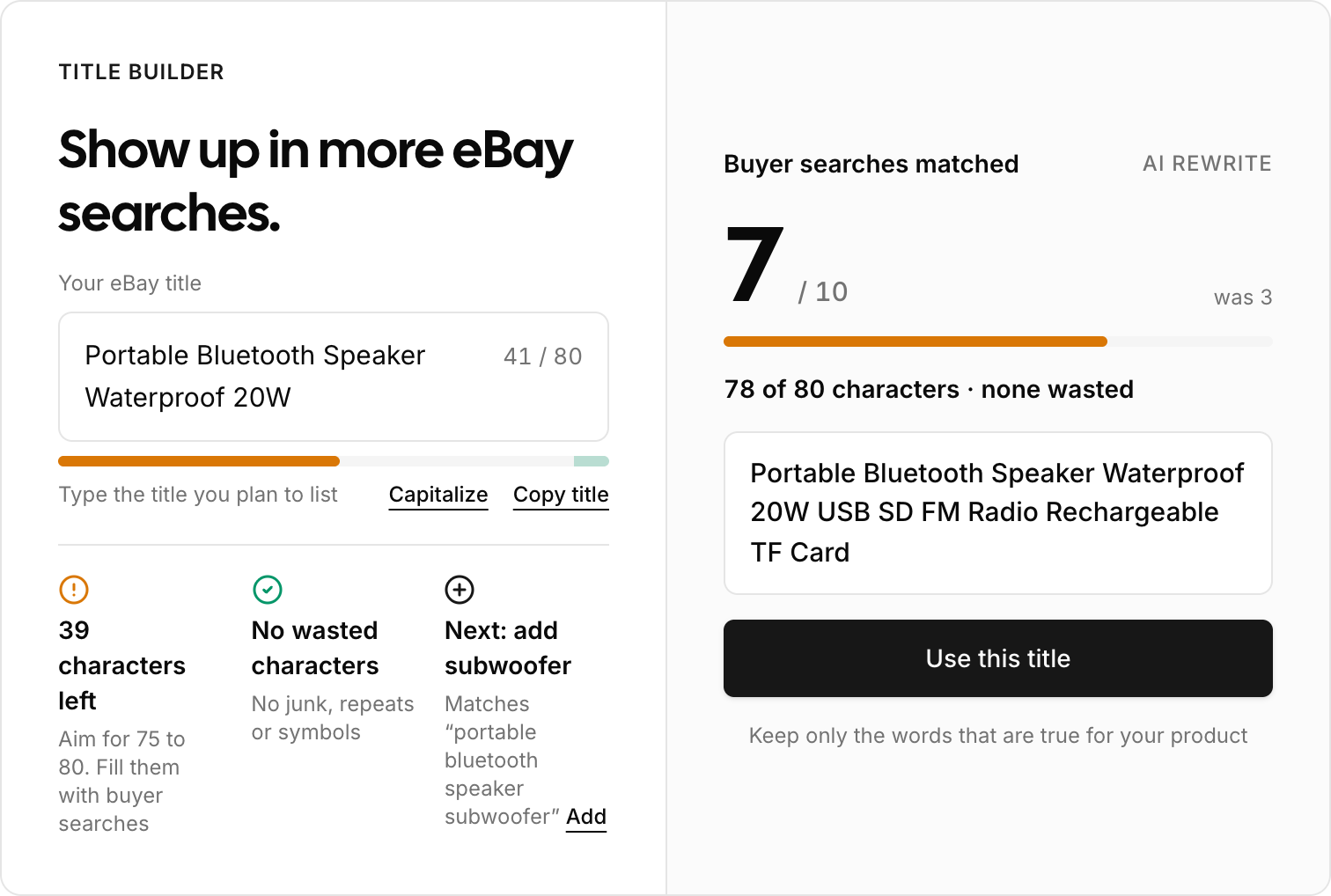
The rewrite is scored against the same searches, next to your old number, so you can see what it gained before you take it. Use this title replaces yours and keeps the score on screen.
Read the rewrite before you list. The AI can add a feature your product does not have, such as a radio or a card slot. Keep only the words that are true for your product.
If the rewrite fails, the coins come back. See the coins guide for how to top up.
Good to know
- The searches are real buyer searches on the eBay site you chose. eBay does not publish how often each one is searched, so the Title Builder shows no volume numbers.
- The list follows the first words of your title. Change them and the searches are looked up again. To explore a different angle, type it in Search another keyword.
- A vague title gets vague searches. "Speaker" returns searches for every kind of speaker. "Portable Bluetooth Speaker" returns the ones your buyers use.
- Capitalize fixes the casing of every word, and Copy title puts the finished title on your clipboard.
- An AI rewrite is also on the title field of every draft.
- Want to try it first? The free eBay title builder scores any title without an account, and the free eBay keyword tool lists the buyer searches for any product.
Start with your next listing
Open the Title Builder before you list your next product, type the title, and add searches until the number stops moving.