
eBay payouts are how you get paid as a seller under eBay Managed Payments: funds from your sales are collected by eBay, then sent to your linked bank account on a schedule you choose. Unlike the old PayPal flow, the money does not land instantly. It moves through eBay's processing and payout cycle, and new or flagged sellers can face holds that delay access.
Understanding the payout system matters as much as understanding fees, because cash flow is what keeps a dropshipping business running. This guide explains how eBay payouts work in 2026, why funds get held, how to set your payout schedule, and how to keep cash flowing so you can pay suppliers on time. New sellers can find the full setup in how to sell on eBay.
How do eBay payouts work?
When a buyer pays, eBay collects the full amount, deducts selling costs, and queues the remainder for payout to your linked bank account. You do not receive money directly from buyers. eBay sits in the middle as the payment processor under its Managed Payments system.
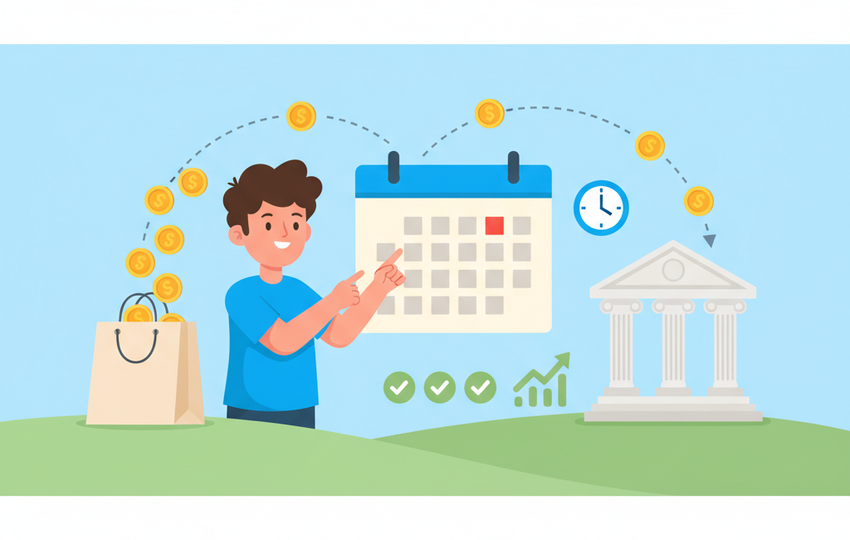
The flow is straightforward: sale confirmed, funds processed, payout initiated to your bank on your chosen schedule, then one to three business days for the bank to post it. The two variables that affect timing are your payout schedule setting and whether any holds apply to the order.
It helps to separate three distinct timestamps that sellers often confuse. There is the moment the buyer pays, the moment the funds become "available" in your eBay balance, and the moment eBay initiates the payout to your bank. A sale can be paid by the buyer but not yet available, because of a hold, and a payout can be initiated but not yet posted, because of bank processing time. When you track cash flow, watch the available balance in Seller Hub, not the raw sales total, because that available figure is what actually moves to your bank.
You link your bank account during Managed Payments registration, and that account is where every payout lands. eBay supports a single linked checking account for payouts in most regions, so keep that account's details accurate. A closed or mistyped bank account is one of the most common reasons a payout fails and bounces back into your eBay balance, which then delays your access to the cash.
When does eBay pay you and what is the payout schedule?
eBay lets you choose how often payouts are initiated. You set this in Payments under Seller Hub or My eBay.
- Daily payouts. eBay initiates a payout each day for available funds. Best for cash flow.
- Weekly payouts. Funds are batched and sent once a week on a day you select.
After eBay initiates a payout, your bank typically posts it within one to three business days. So even on daily payouts, the money is not instant. New sellers often start on a schedule with longer initial processing until they build history.
For most active dropshippers, daily payouts are the better choice because cash flow is the lifeblood of the model. The faster your sales convert to bank-available cash, the sooner you can reinvest in supplier orders and scale. Weekly payouts simplify bookkeeping by batching everything into one transaction, which some sellers prefer for cleaner reconciliation, but the trade-off is that your money sits in eBay's system longer. You can change your payout schedule at any time in the Payments tab, so it is worth revisiting as your volume grows.
| Setting | When initiated | Bank posting | Best for |
|---|---|---|---|
| Daily | Every day | 1 to 3 business days | Active dropshippers needing cash flow |
| Weekly | Once weekly | 1 to 3 business days | Lower-volume or hands-off sellers |
Why does eBay hold your payouts?
Payment holds are the part that surprises new sellers most. eBay may hold funds for several reasons, and the hold can last from a few days to weeks. A hold is not a penalty by itself, it is a risk-management tool eBay uses to make sure buyers are protected until an order is clearly completed. Knowing the triggers lets you avoid the ones within your control.
New seller holds. If you are new or have not established a track record, eBay holds payouts until the order shows delivery or 30 days pass, whichever comes first. This protects buyers while you build trust.
Performance-based holds. Accounts below standard, with high defect rates, late shipments, or open cases, can have funds held longer.
Open disputes or claims. If a buyer opens an "item not received" or "not as described" case, eBay can hold the related funds until it resolves.
Verification and risk flags. Unusual activity, a sudden spike in sales, or incomplete account verification can trigger a temporary hold while eBay reviews.
Refund and chargeback reserves. When you issue refunds or face chargebacks, eBay may hold or reserve funds to cover them, which reduces the amount available for your next payout.
For a dropshipper, holds are dangerous because you often need the buyer's payment to fund the supplier order. If your cash is held, you can be stuck unable to fulfill, which then causes the late shipments that extend the hold further. This is the trap that catches under-capitalized sellers: a 30-day new-seller hold collides with supplier orders that need paying today, and the whole operation stalls. The way out is to expect holds during your first weeks and to keep enough working capital that you can fund orders without touching held payouts. Once you have shipped enough orders on time, eBay typically eases new-seller holds, and your funds start clearing on the normal schedule.
What are the seller costs deducted before payout?
eBay deducts selling costs from your sale before paying out, so the payout is your net, not gross. The main deductions are the final value fee, any per-order fee, and ad fees if you used Promoted Listings. Regulatory operating fees may also apply in some regions.
Because deductions come out before payout, always price with net proceeds in mind. Run listings through an eBay fee calculator so you know your real take-home before you set a price, and never assume the sale total is what hits your bank.
This is also why payout statements sometimes confuse new sellers. The deposit that lands in your bank is the net after all selling costs, so it will always look smaller than the order totals you saw at checkout. eBay provides detailed payout reports in Seller Hub that break down each order's fees and the final amount paid out. Reviewing those reports monthly keeps your bookkeeping accurate and helps you spot any unexpected deduction early, before it quietly erodes your margins across hundreds of orders.
How to keep eBay payouts flowing safely
Smooth payouts come from strong account health and clean fulfillment. Here is how to protect your cash flow.
- Verify your account fully. Complete identity and bank verification immediately so nothing stalls on missing details.
- Ship on time, every time. Holds shorten and disappear faster when orders show prompt handling and tracking. Automate fulfillment with order sync so orders route to suppliers instantly and tracking uploads fast.
- Avoid cancellations and defects. Keep stock and price monitoring active so you never sell an out-of-stock item. A price and stock monitor prevents the cancellations that trigger performance holds.
- Upload tracking promptly. Funds held for new sellers release on delivery confirmation, so fast, valid tracking shortens holds.
- Keep a cash buffer. Because dropshippers fund supplier orders from buyer payments, hold a reserve so a payout hold does not stop you from fulfilling.
- Respond to cases fast. Resolve disputes quickly so related funds are not held longer than necessary.
- Monitor your available balance, not your sales total. Check Seller Hub's Payments tab regularly so you always know how much is genuinely ready to move, and plan supplier spending around that number rather than gross sales.
eBay payouts checklist
- Complete identity and bank verification before selling
- Choose a payout schedule that matches your cash-flow needs
- Expect new-seller holds until delivery or 30 days
- Ship on time and upload valid tracking quickly
- Keep stock and price monitoring active to avoid defect holds
- Hold a cash reserve to fund supplier orders during holds
- Price with net proceeds in mind, not the gross sale total
- Resolve buyer cases fast to release held funds
eBay payouts are predictable once you understand the schedule and what triggers holds. The sellers who never get squeezed are the ones with verified accounts, clean metrics, and a cash buffer that absorbs the occasional hold. Automate your fulfillment and monitoring so your account stays healthy and your money keeps moving. Ready to run hands-off fulfillment that protects your payouts? Start with SuperDS and connect your eBay store.